The hosting panel that shows its working
Websites, DNS and mail on plain Linux services. No containers, no per-account fees. Every feature is on a public roadmap, and every security audit and penetration test is published.
Every fresh install starts with a 30-day free trial, no card needed. No spam, unsubscribe any time.
- 197
- Features live
- 25
- Security audits published
- 3,400+
- Automated tests
- £9.99
- Flat per month
Proven in public
We test everything, then publish the results
Most panels ask you to trust them. We would rather show you.
25
security audit rounds
Run against the live build as we build it. 246 issues found and fixed the same day, none critical left open.
Read the audits9
penetration test findings
We attacked a fresh install from the outside. Nothing let us in; seven findings fixed, one open, one deliberate.
See the results197
features live and tracked
Every feature on a public roadmap with its status and dated build notes, not a marketing checklist.
Open the roadmapWhy KNJ Panel
The things that are usually extra, included
Two sides of one app: the Controller for admins and resellers, and the Account panel for their customers.
Security that runs itself
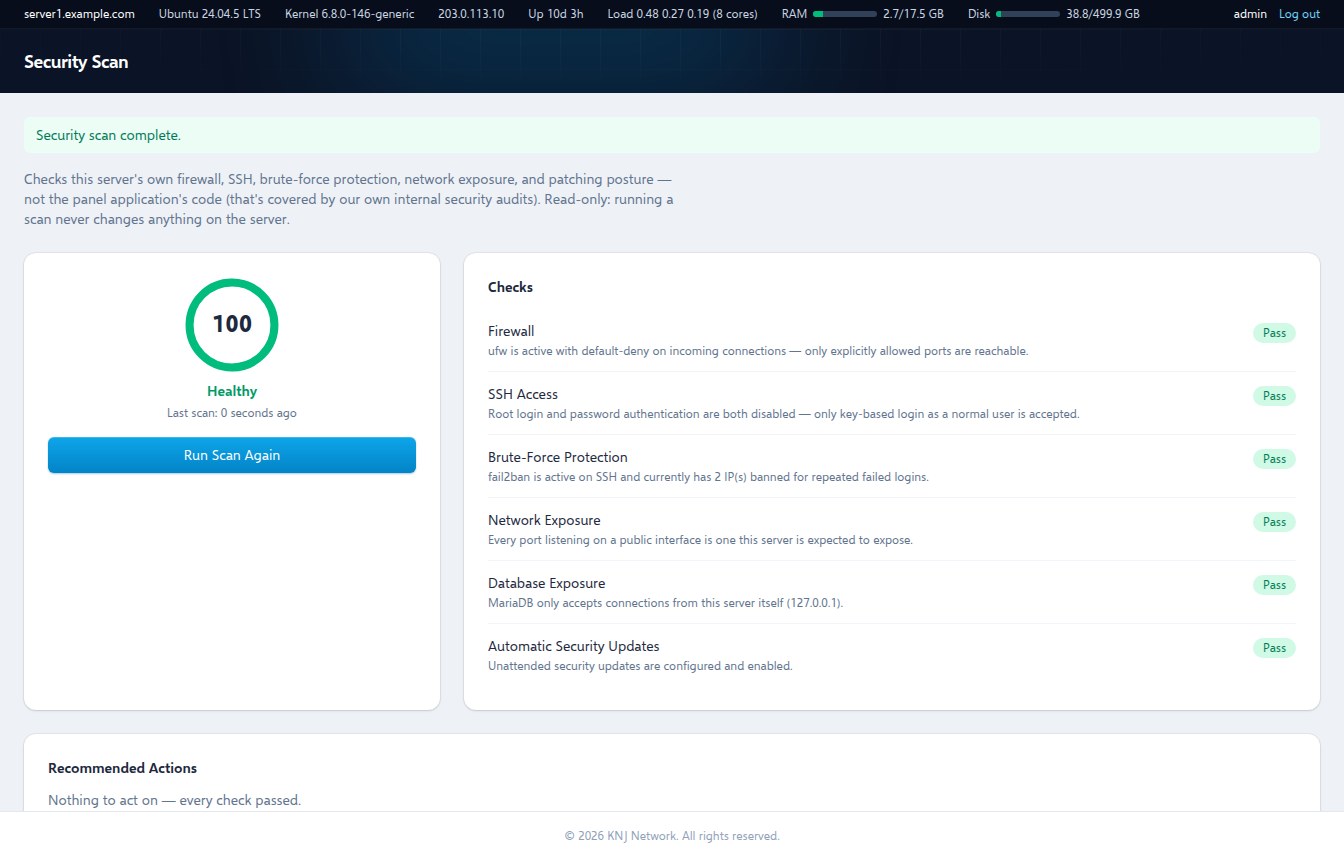
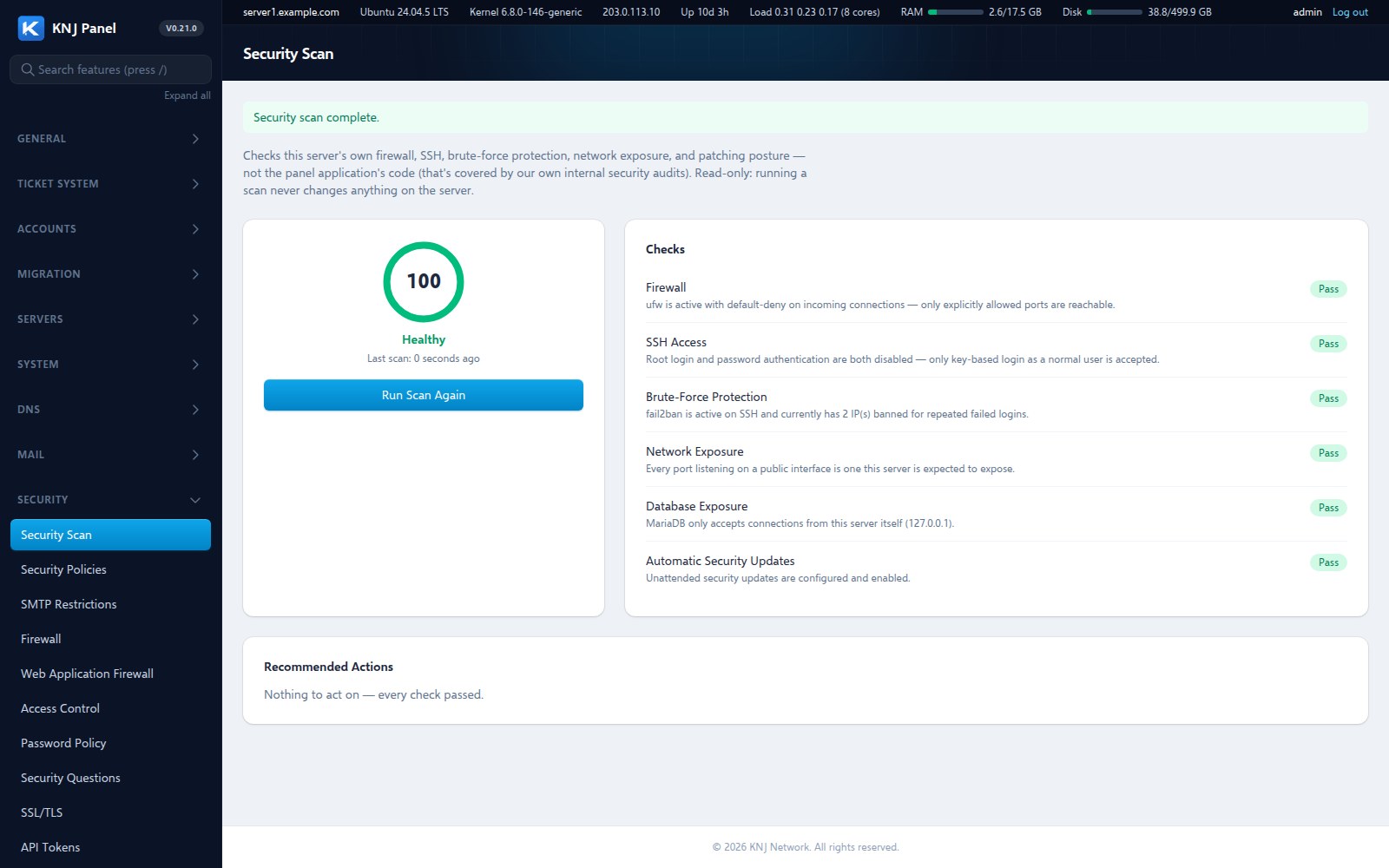
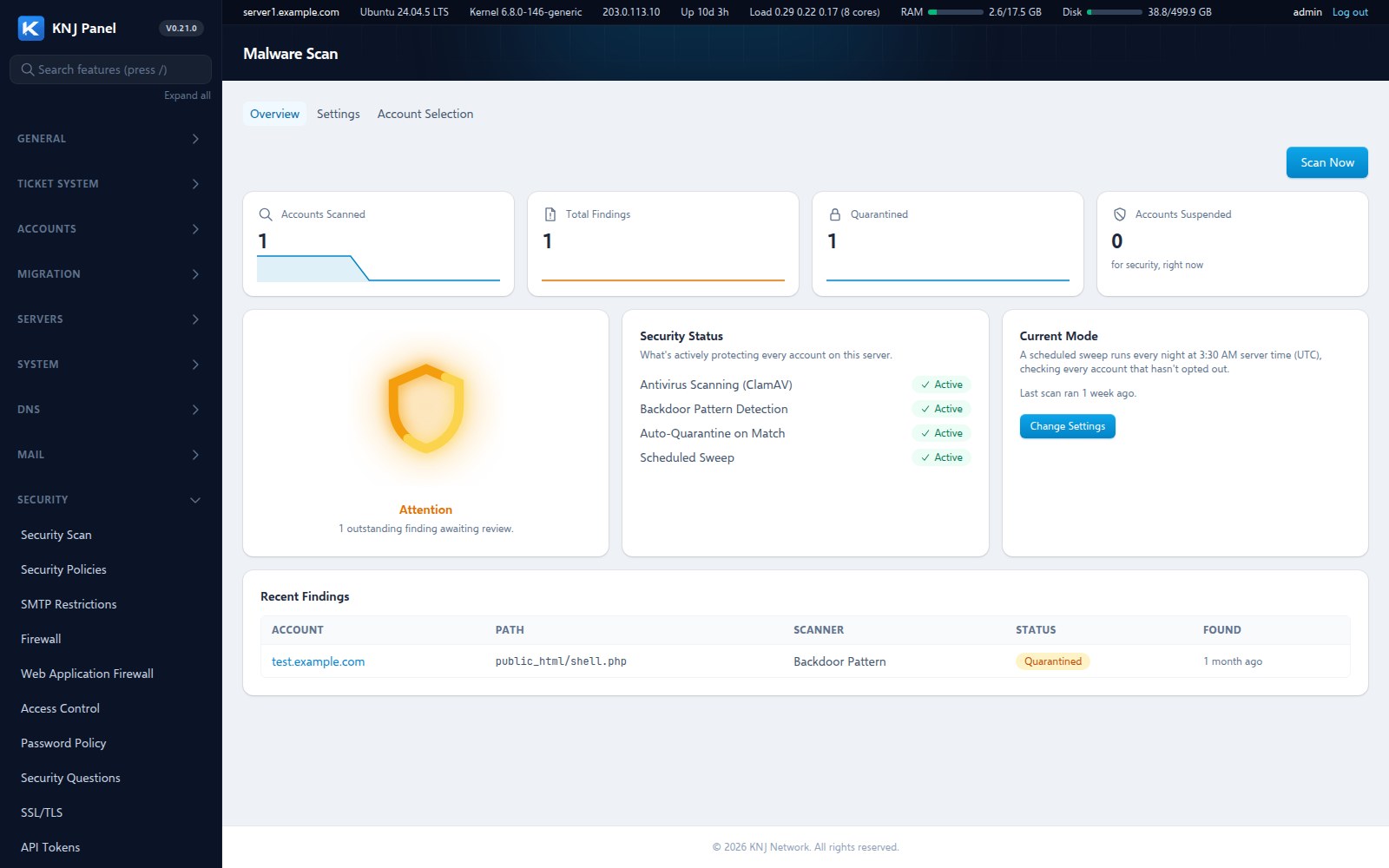
Every account is swept for viruses and hidden backdoors on a schedule, not only when someone remembers. A confirmed backdoor is quarantined and the site paused until it is fixed, and the owner is told either way. Add a managed firewall, ModSecurity with the OWASP rules, two-factor login, and a built-in scan that scores the server and tells you what to fix.
- Nightly malware and backdoor scanning
- Auto-quarantine and pause on a real threat
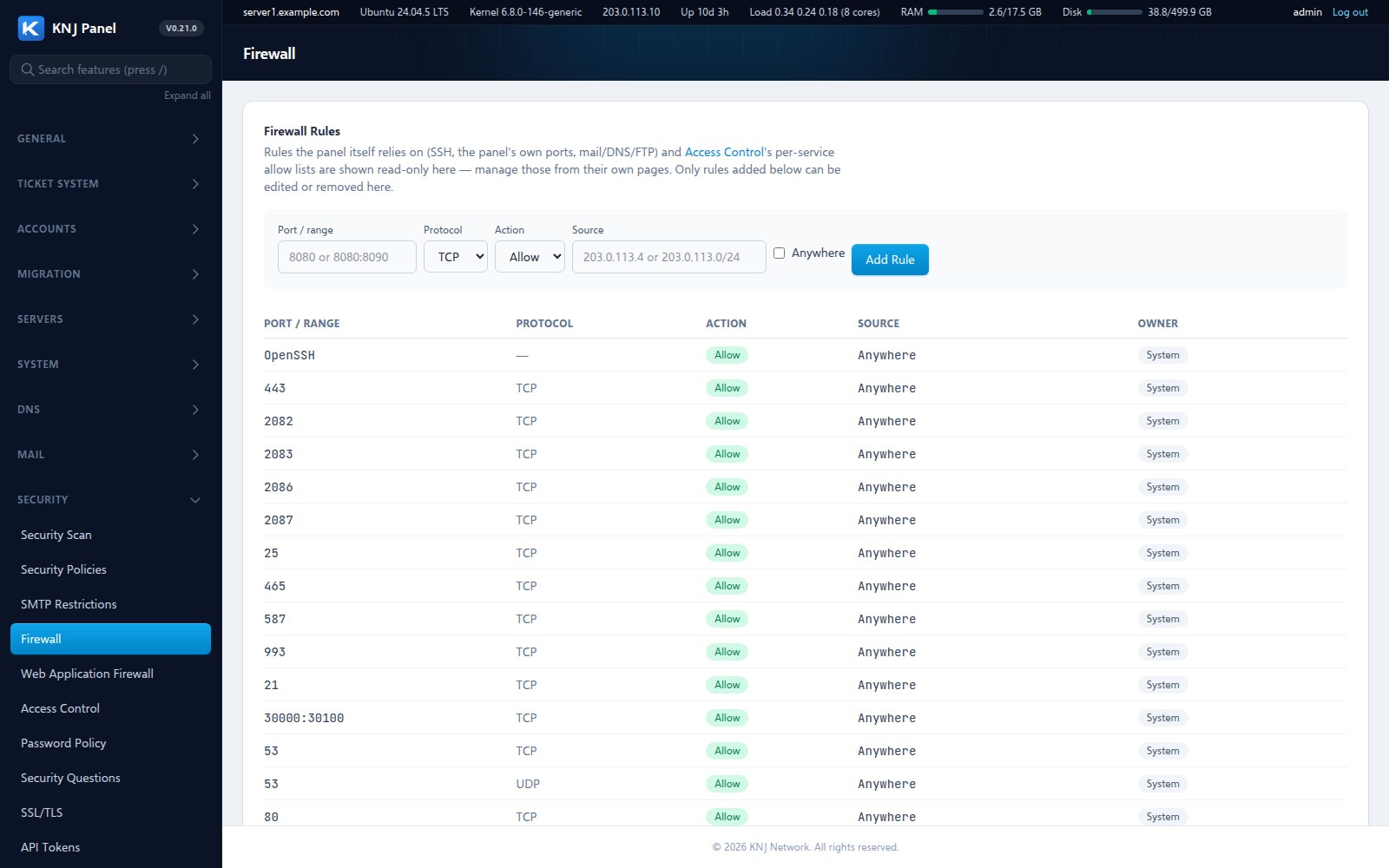
- Managed firewall with lock-out protection
- Web application firewall (ModSecurity, OWASP CRS)
- Security score with plain-English fixes
Deploy from Git, built in
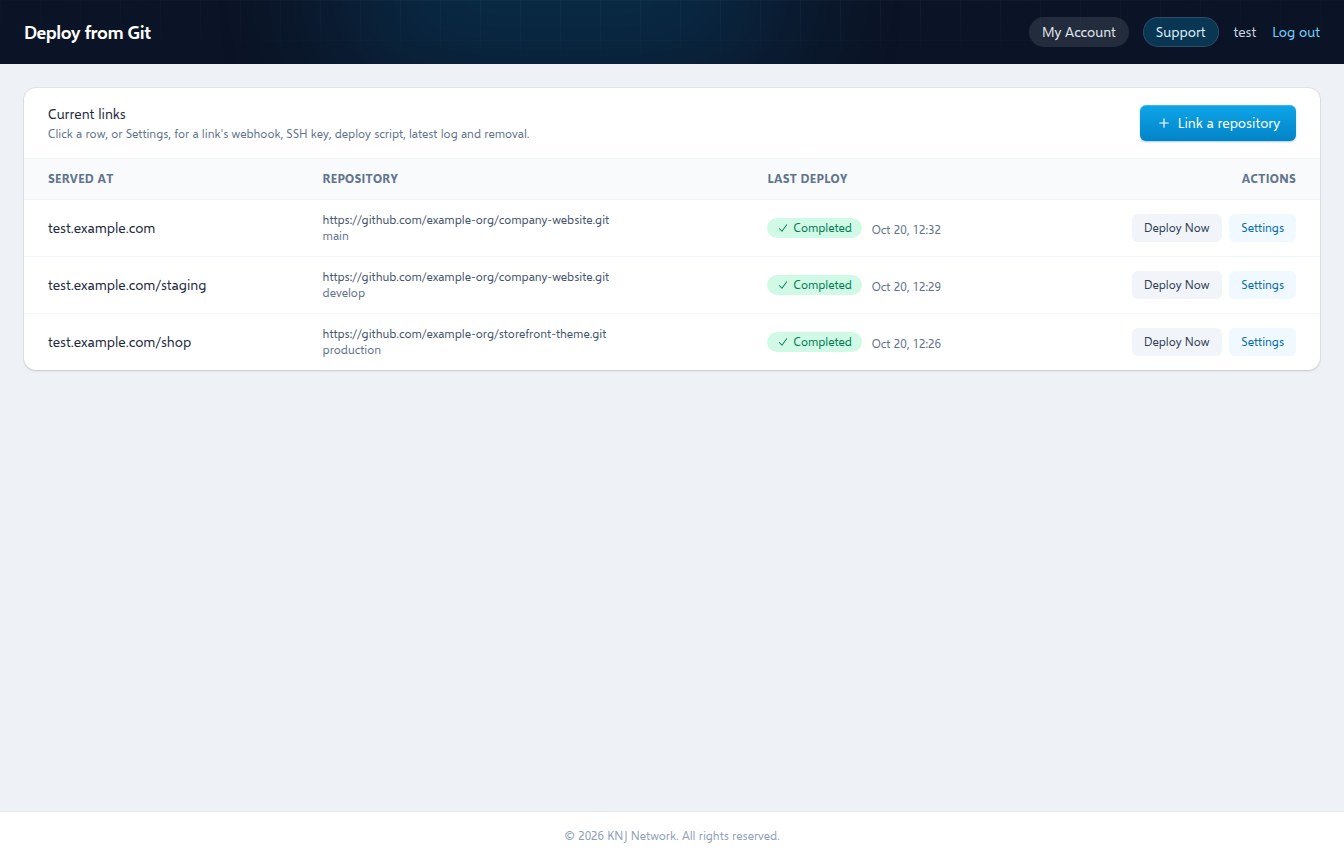
Link a repository and every push deploys straight to your document root through a webhook. No manual "update from remote" click, no separate CI to set up. It is the same pipeline that deploys this website, handed to every account.
- Webhook and deploy key per account
- Public or private repositories
- Optional build script after each push
- Deploy to a subfolder or a public directory
A support desk, built in
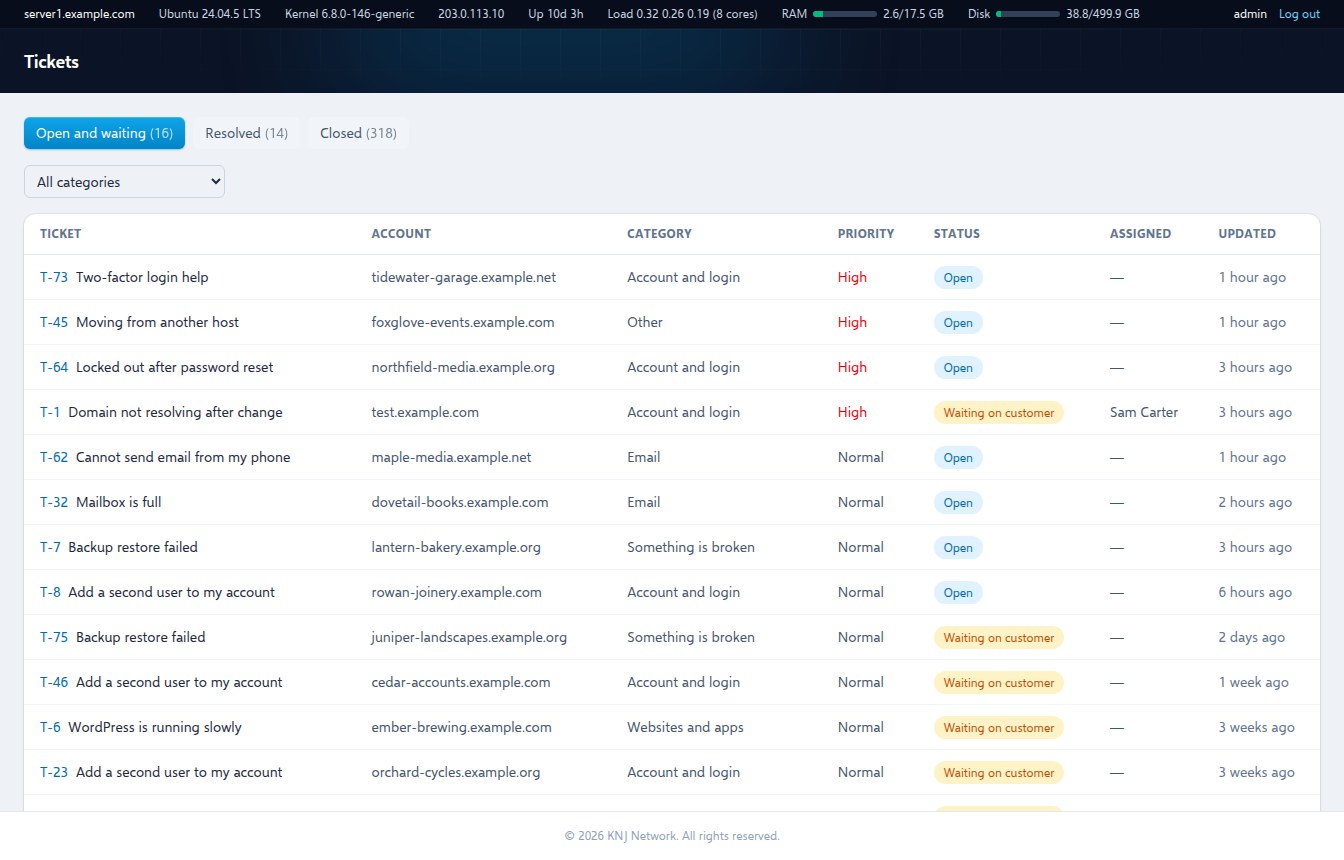
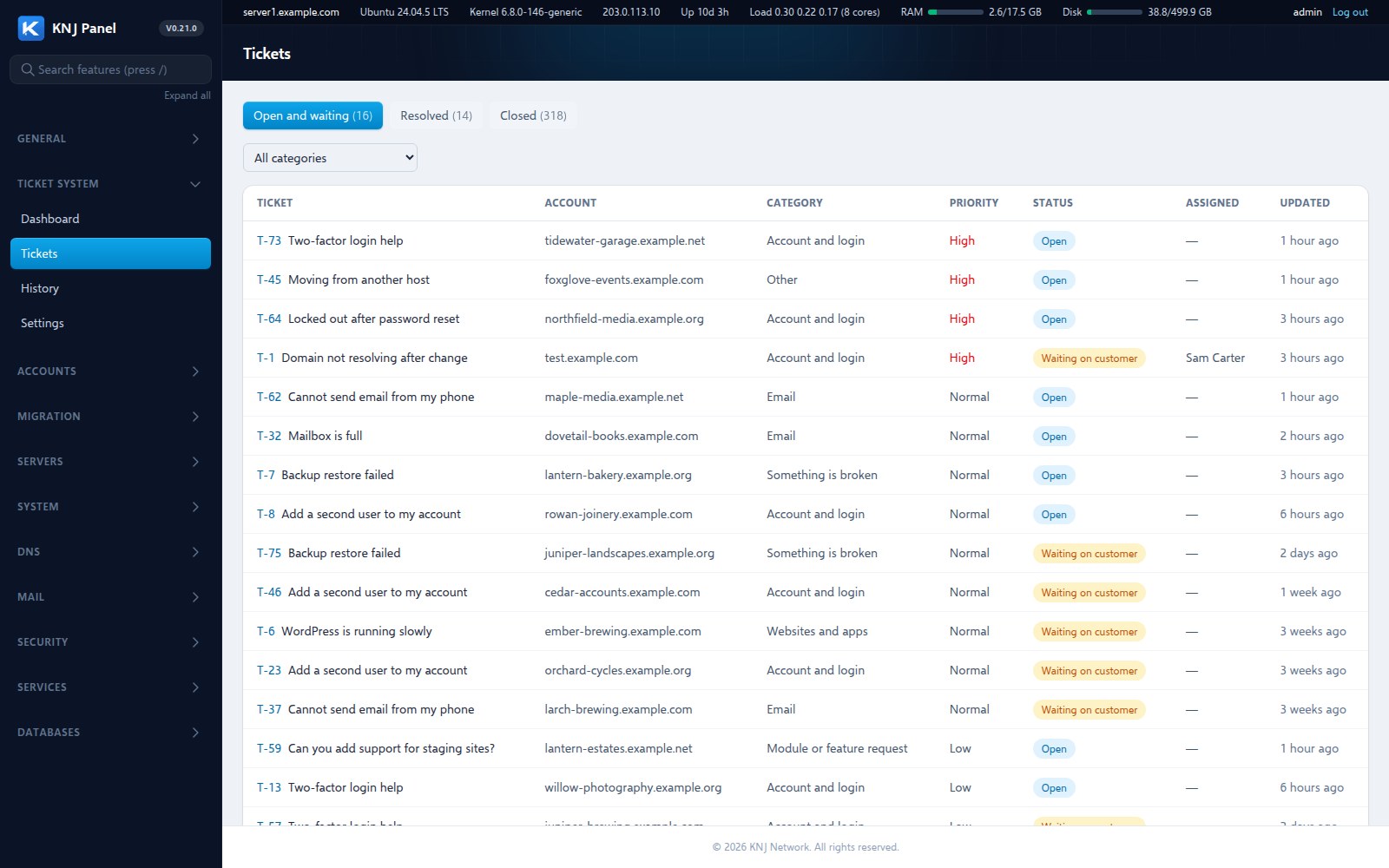
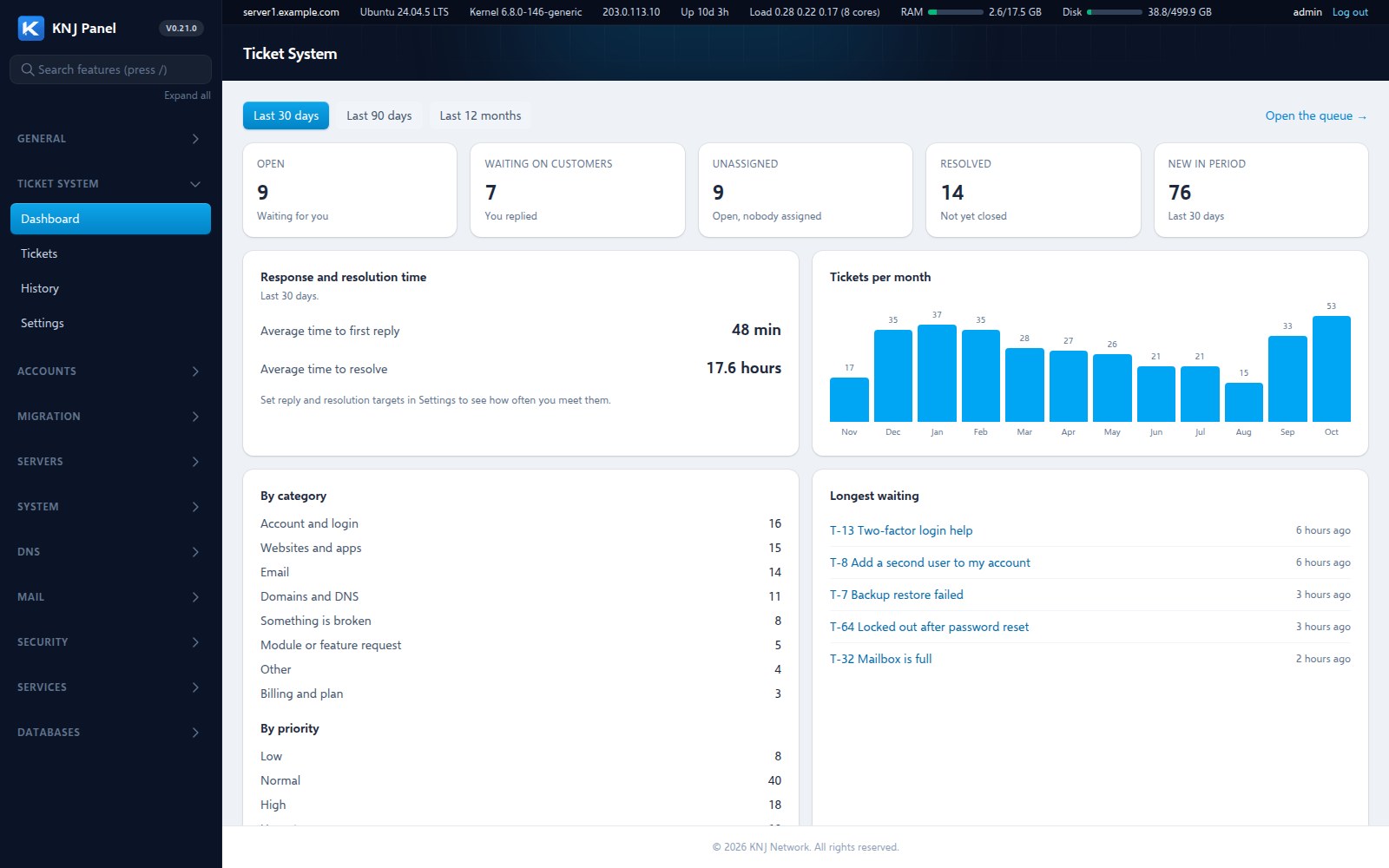
Customers raise a ticket from their account or simply reply to an email, and it lands in one queue with the account, plan and domain already attached. Run it as the server owner, or give each reseller their own desk for their own customers. It is included in every install, not another system to host and log in to.
- Tickets from the account area or by email, with replies threaded
- A separate desk for each reseller
- Alerts by email, banner and chat, plus a daily digest
- Canned replies, categories and private notes
- Reports on first reply and time to resolve
Run it without SSH
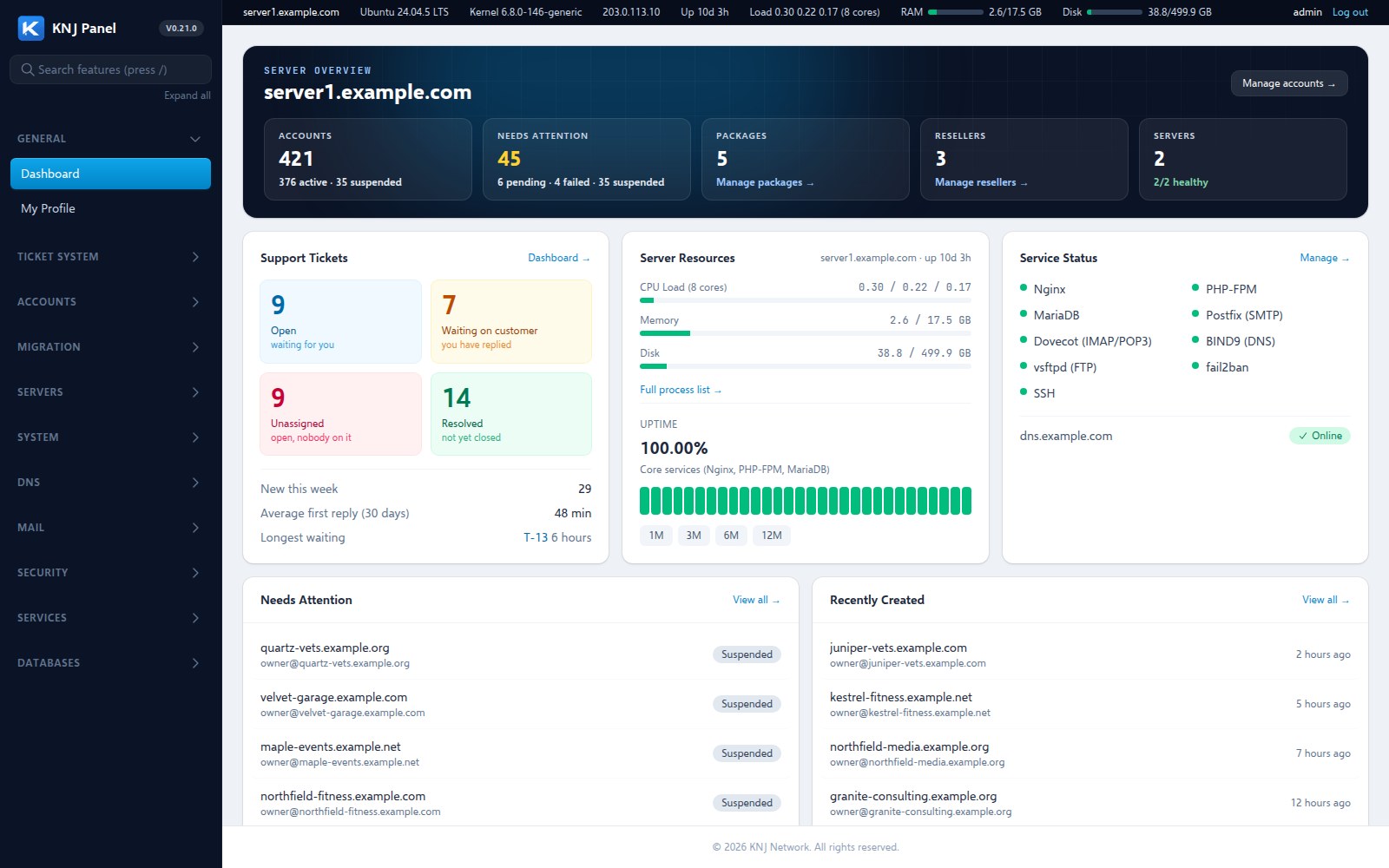
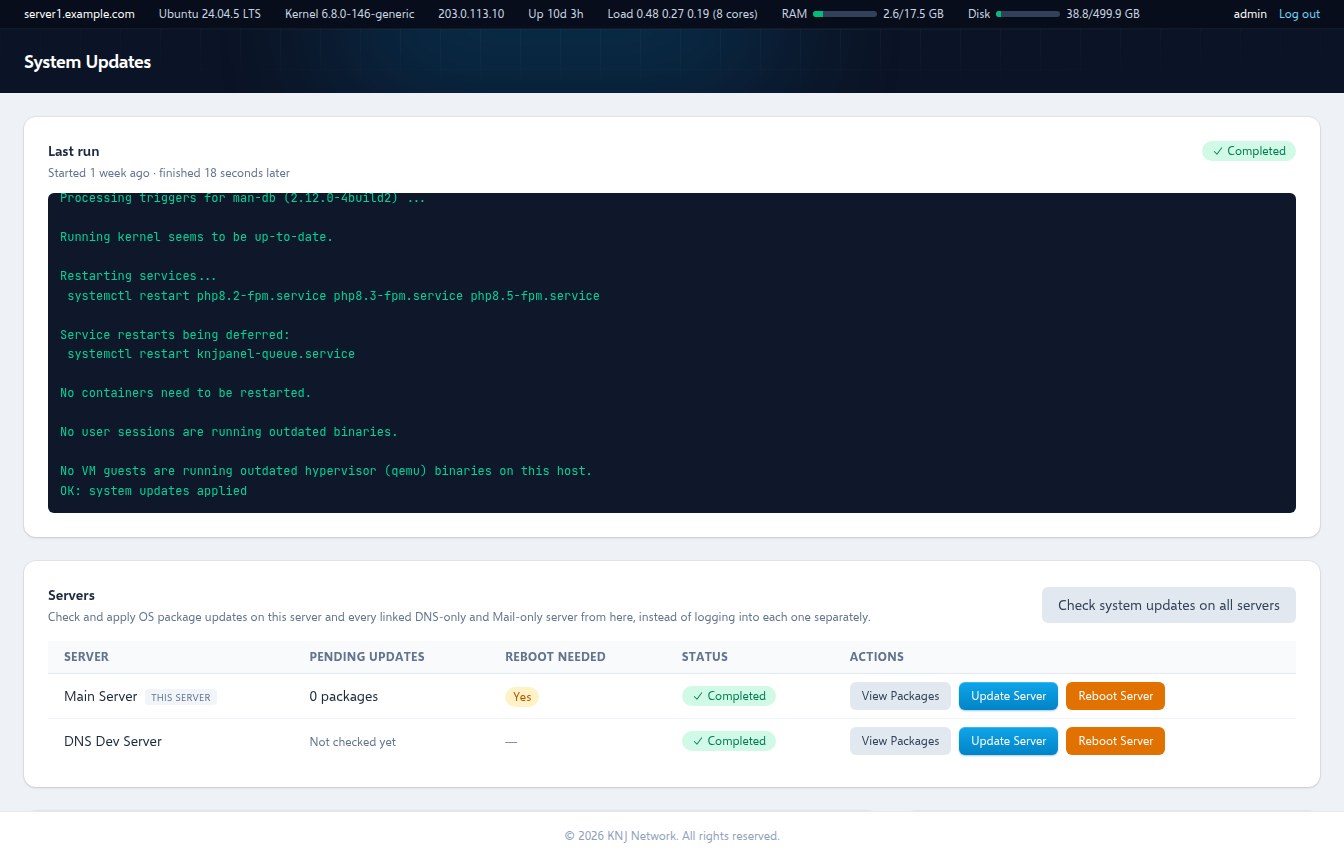
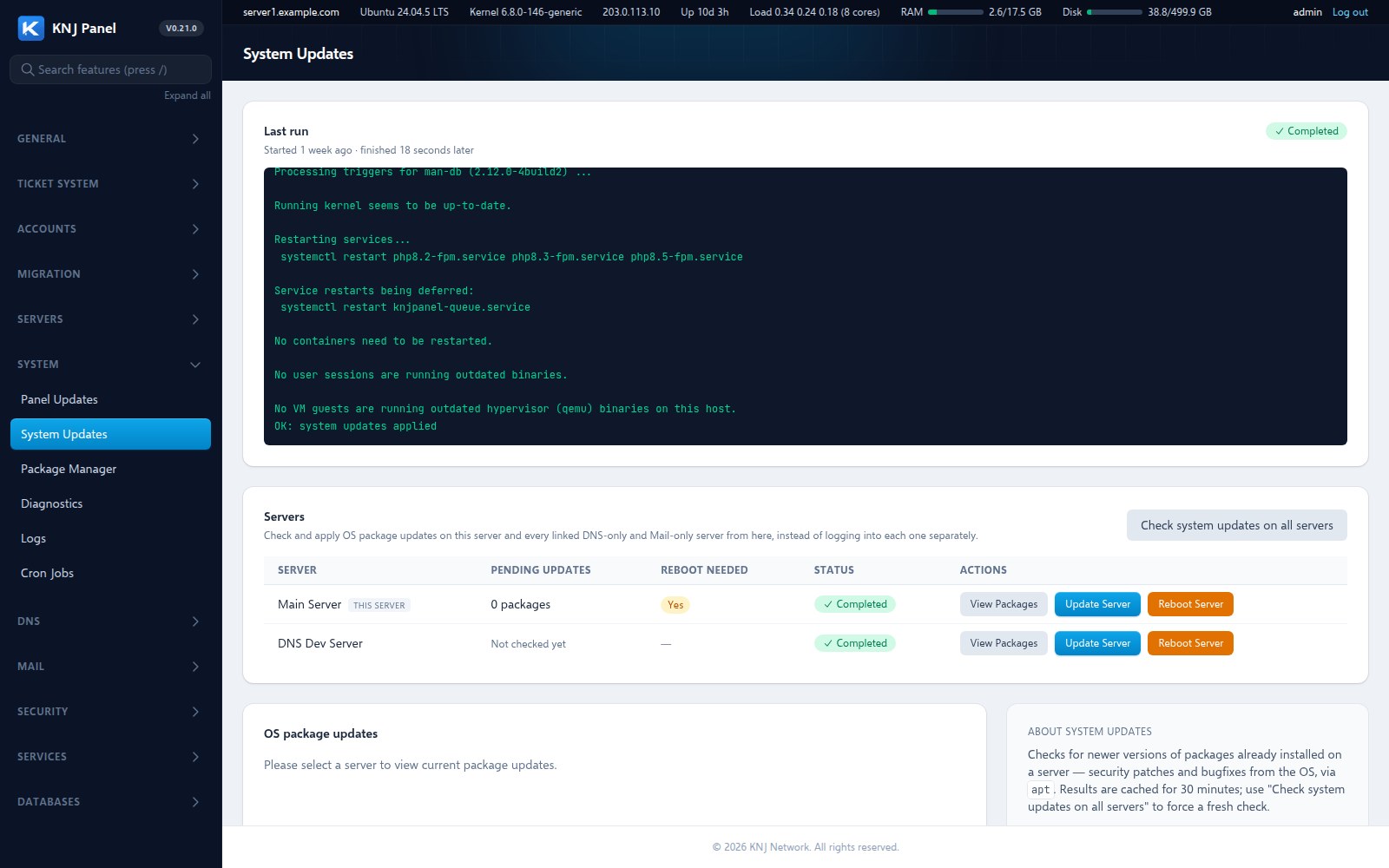
Install OS updates, upgrade the panel, restart services, change the firewall and tune the database from the browser, each with a live log of what actually ran. You can still log in to the server, you just rarely need to.
- OS updates across every linked server
- Panel updates with a live terminal log
- Service status, restart and resource monitor
- Scheduled backups to SFTP, FTP or S3
A proper toolbox for every customer
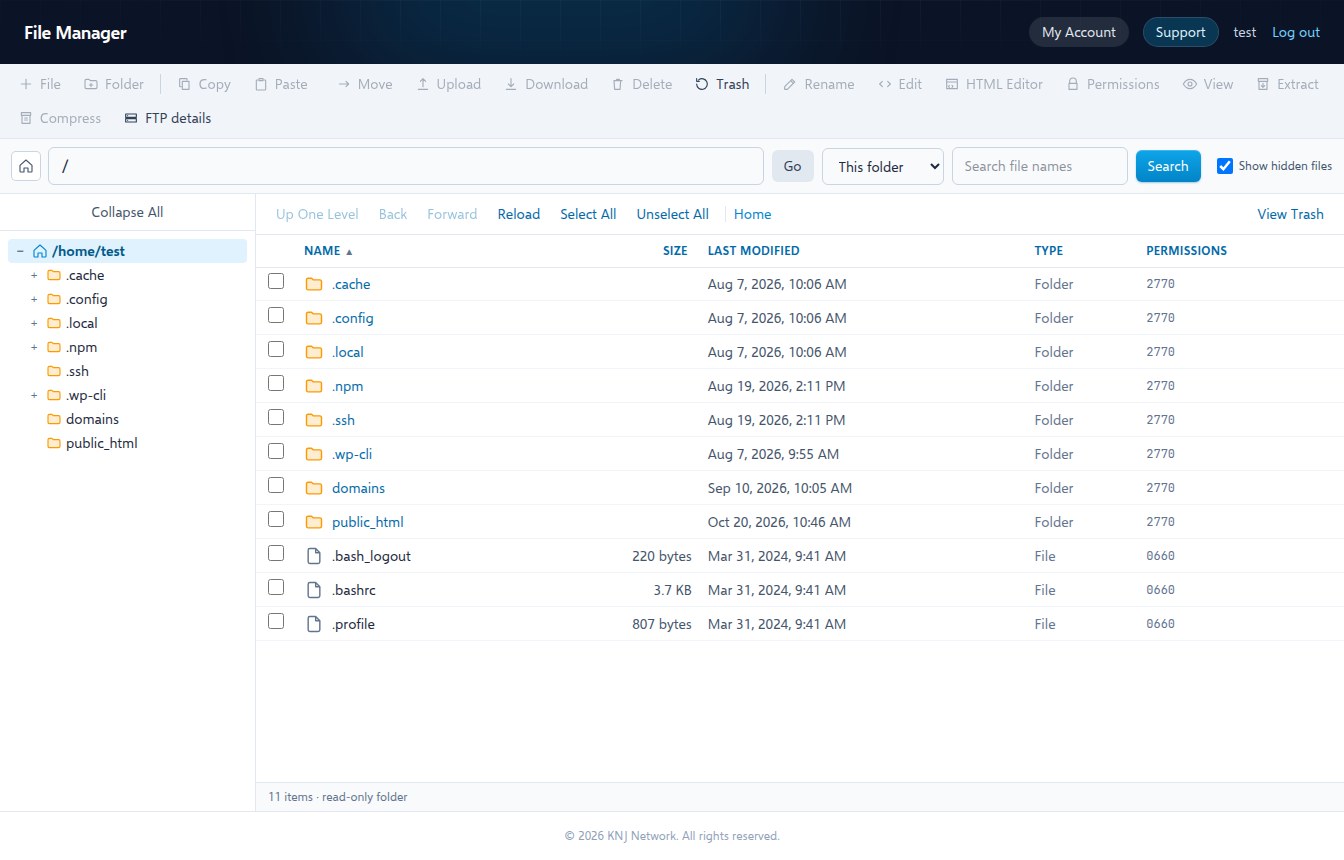
Customers get a File Manager with a recycle bin and an HTML editor, a one-click installer for five popular apps, mailboxes, databases, cron, staging for WordPress and a migration tool for cPanel accounts. The same panel serves your resellers and their customers, scoped correctly at every layer.
- File Manager, recycle bin, code and HTML editors
- WordPress, Drupal, MediaWiki, phpBB, Bookstack
- Mail with webmail, filters and autoresponders
- Restore a cPanel account
How it differs
Included, not bolted on
A general comparison with the best-known hosting panels, based on their publicly listed features and pricing.
| KNJ Panel | Typical alternatives | |
|---|---|---|
| Licensing | One flat monthly licence. No per-account fees, no reseller tiers. | Often priced per account or by tier, rising as you grow. |
| Malware scanning | Scheduled sweep of every account, auto-quarantine and suspend on a confirmed backdoor. | Commonly a separate paid add-on. |
| Web application firewall | ModSecurity with the OWASP Core Rule Set, managed from the panel. | Often an extra plugin or paid tier. |
| Deploy from Git | Webhook per account; every push deploys to the document root. | Usually manual, or limited to pulling on request. |
| Security posture | A built-in scan that scores the server and explains each check. | Typically left to a separate tool. |
| Published security record | 25 audit rounds and our own penetration test, public. | Rarely published. |
| Running it | Updates, service control and firewall from the browser, with live logs. | Frequently needs a terminal for the harder jobs. |
| Under the hood | Plain Nginx, PHP-FPM, Postfix, Dovecot, BIND, MariaDB. No containers. | Varies, and some hide config behind their own layer. |
Panels change their packaging often. Check current details before you decide, and see the roadmap for exactly what KNJ Panel covers today.
Everything included
197 features, live today
Live features by area, counted from the same roadmap you can read in full.
Controller (admins and resellers)
Account (customers)
See it in action
What it actually looks like
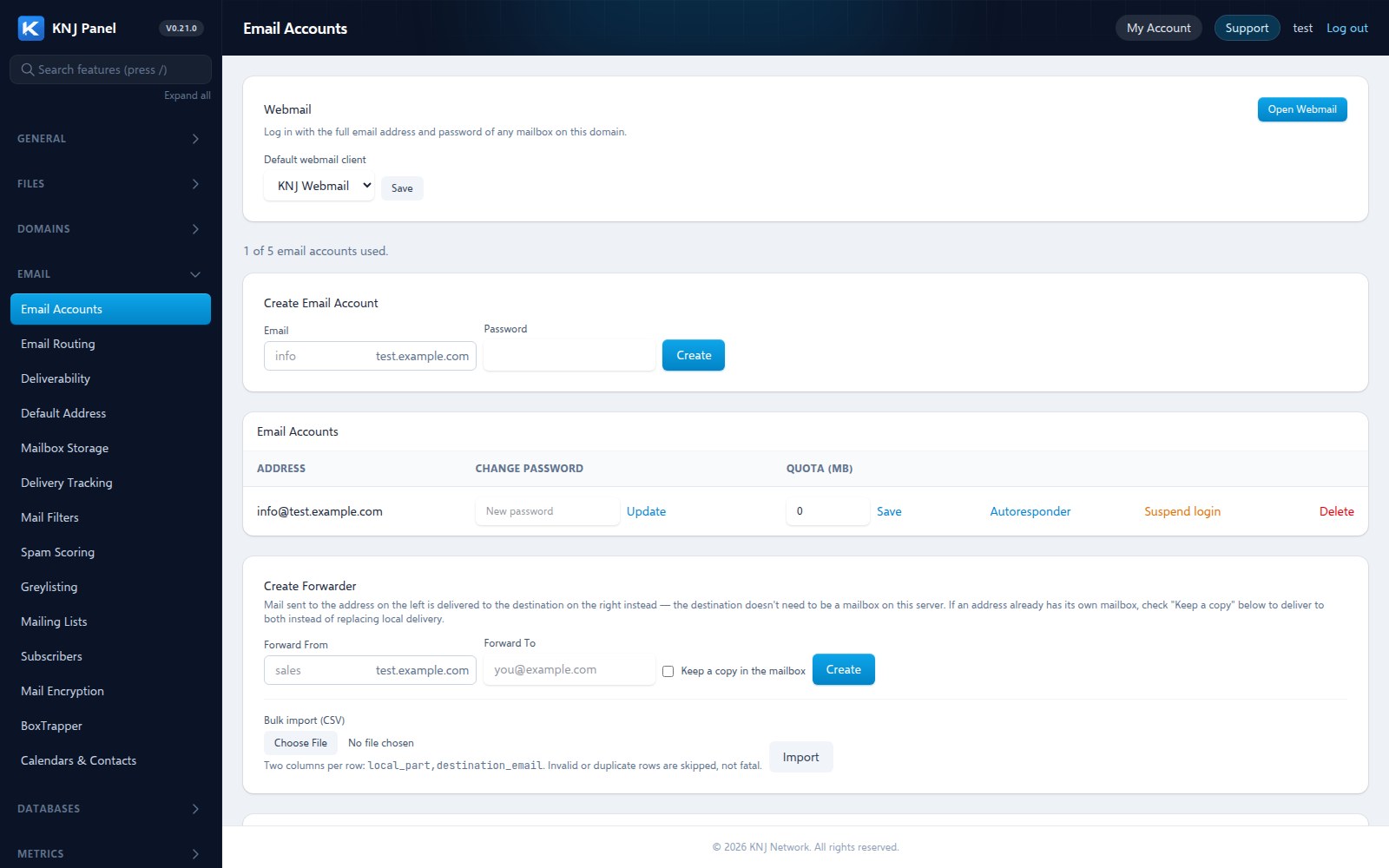
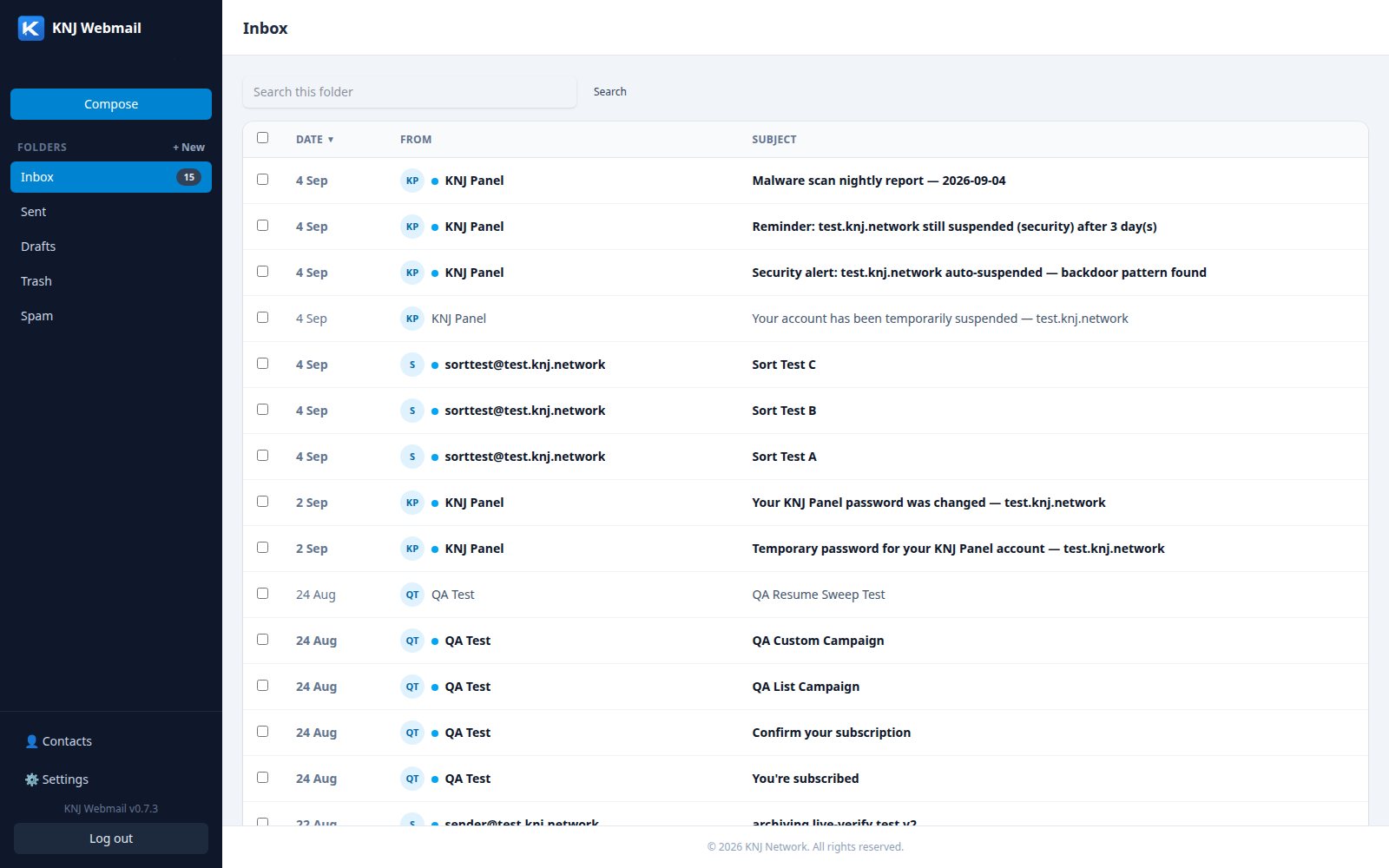
Real screenshots from the running dev build. Names, addresses and hostnames are replaced with placeholders; nothing else is edited.
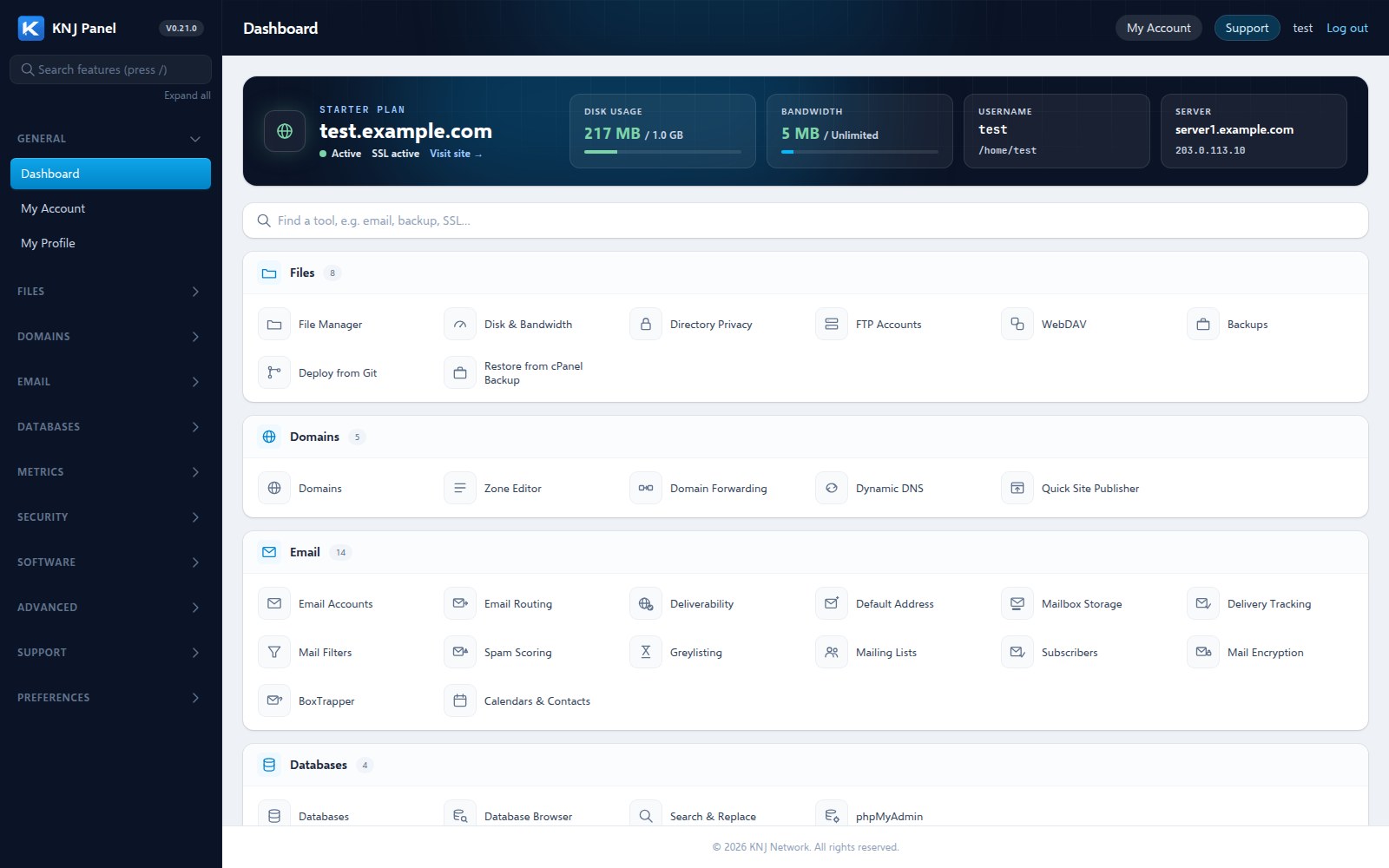
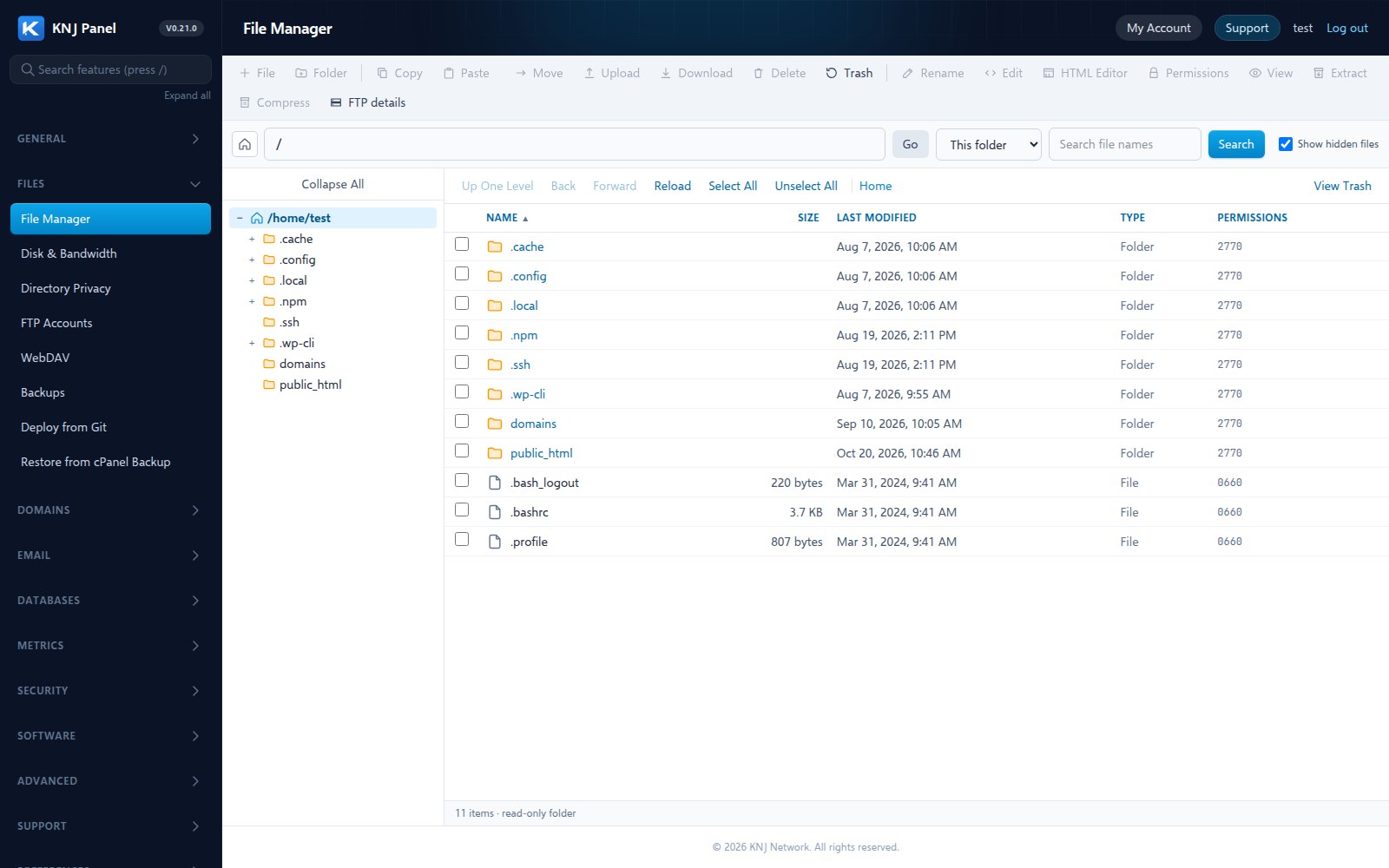
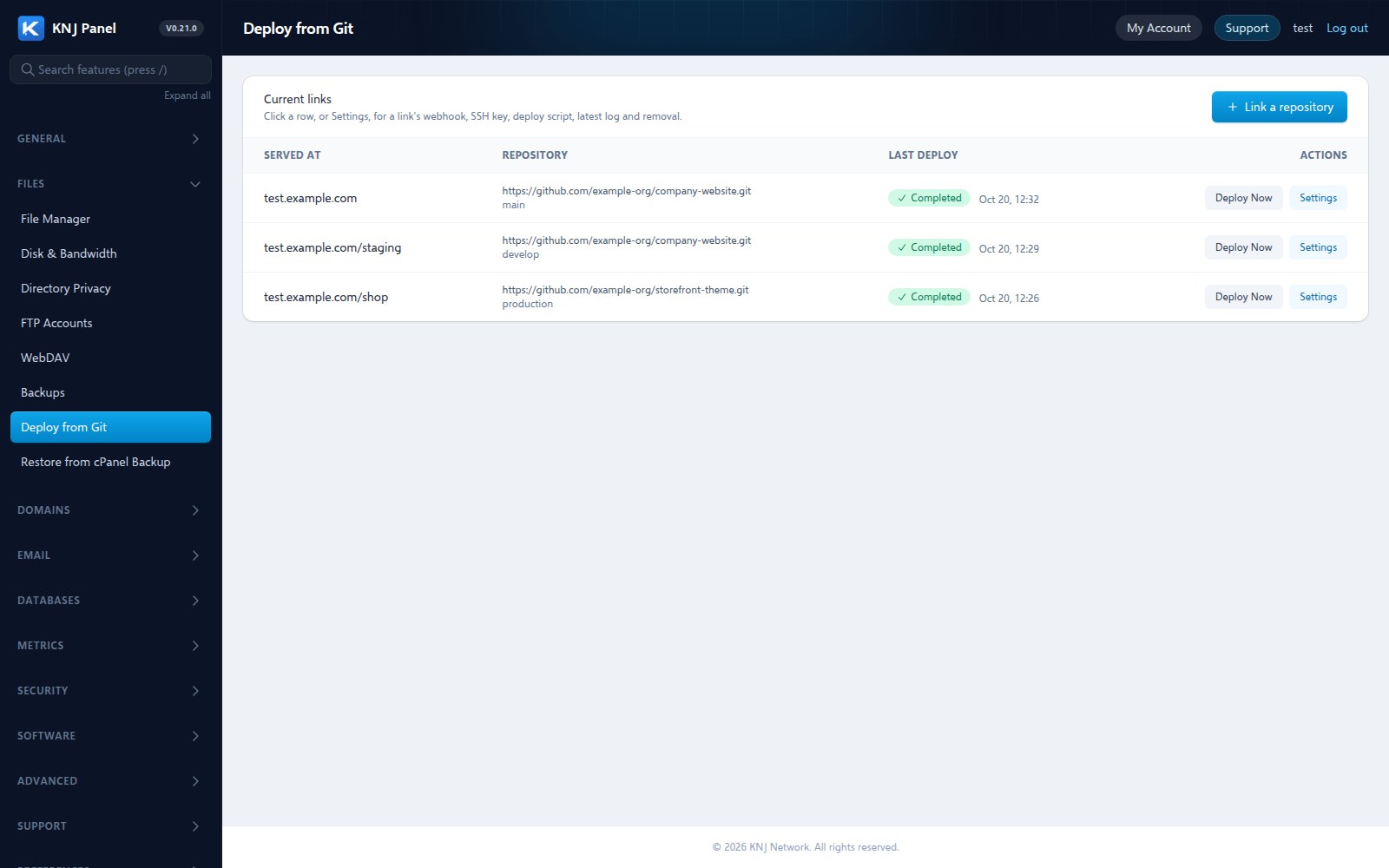
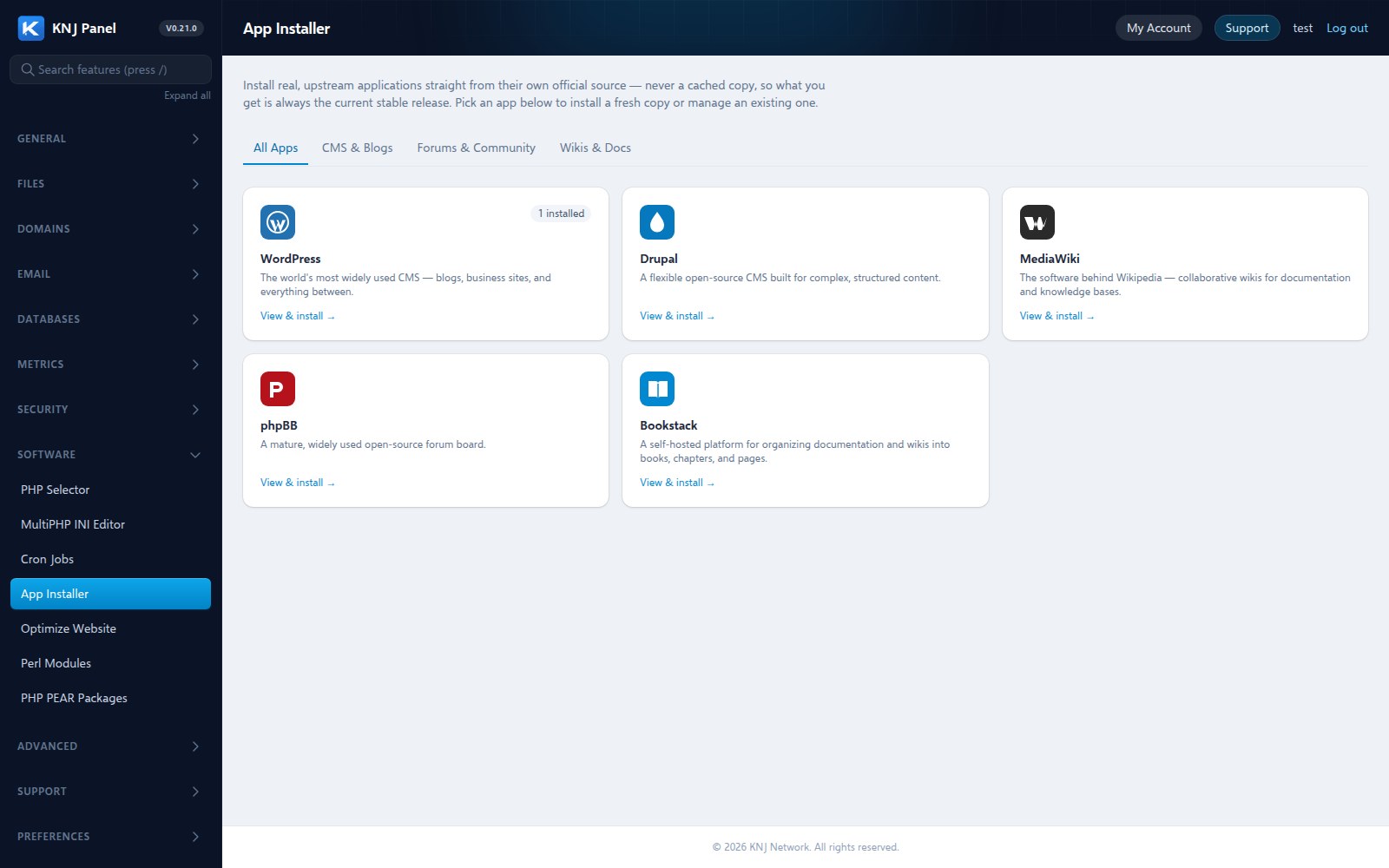
Technical specifications
What KNJ Panel runs on
No proprietary runtime and no containers. Each feature configures an ordinary Linux service you could inspect yourself. Needs Ubuntu 24.04 LTS, root or sudo access and 2 GB of memory.
- Roles
- Admin, reseller and customer, plus linked DNS-only and Mail-only servers managed from one place.
- Backups
- Local, or moved off the server to SFTP, FTP or S3-compatible storage, with verification.
- Isolation
- Each account is its own system user, and the operating system itself refuses to follow shortcuts out of an account.
Who we are
KNJ Network
We build infrastructure software for people who would rather own their stack than rent someone else's black box. KNJ Panel is our first product, built directly on real Linux services, not a UI bolted onto a hosting API. Every feature you can click is a real system underneath it.
£9.99 / month
- 30-day free trial on every fresh install, no card needed
- No per-account fees and no reseller tiers
- Cancel any time
Follow KNJ Panel before it ships
A hosting control panel built from scratch — real DNS, real mail, real multi-tenant hosting, no black-box config. Get build updates and be first to know when it's ready to install.
When it is, every fresh install will start with a 30-day free trial automatically — full access, no card details required to begin. You'll only be asked to subscribe once you've had a proper chance to try it on your own server.
We won't send you spam. Unsubscribe at any time. See our Privacy Policy.
Where things stand
Roadmap
Tracked openly, feature by feature. Full detail, with dated build notes for every shipped item, on the roadmap page.
Controller
100%The admin and reseller side: accounts, DNS, mail, security, services and server configuration.
Account
100%The customer side: what an individual hosting account owner sees and manages.
Questions
Frequently asked questions
What is KNJ Panel?
KNJ Panel is a self-hosted web hosting control panel for Linux servers. It has an admin side (the Controller) and a customer side (the Account panel), and covers websites, DNS, email, SSL, databases, backups and security for admins, resellers and their customers.
What is KNJ Panel built on?
Real Linux services: Nginx and PHP-FPM for websites, BIND for DNS, Postfix and Dovecot for mail, and MariaDB for databases. Every feature in the panel configures one of those services directly, rather than sitting on top of a hosting API or a container platform.
Does KNJ Panel use Docker or containers?
No. There are no containers standing in for infrastructure. Websites, mail and DNS run as ordinary services on your server, and account isolation is enforced at the operating system level.
What do I need to run it?
A server running Ubuntu 24.04 LTS with root or sudo access and at least 2 GB of memory (4 GB or more once you add real hosting accounts). The install script sets everything up on a fresh server.
How much does KNJ Panel cost?
A licence is £9.99 per month, billed monthly and cancellable at any time. There are no per-account fees and no reseller tiers. Every fresh install starts a 30-day free trial automatically, with full access and no card details required to begin.
What can it do?
Websites with multiple PHP versions side by side, automatic SSL, DNS with DNSSEC and clustering, a full mail stack with webmail, spam and virus filtering, databases with phpMyAdmin, scheduled malware scanning, a web application firewall, backups that can be stored off the server, a File Manager with a recycle bin and an HTML editor, an app installer, Deploy from Git, and admin, reseller and customer roles.
Can it run on more than one server?
Yes. DNS-only and Mail-only servers can be linked to a main server, and updates, logins and mailbox moves work across them from one place.
How is it different from cPanel or Plesk?
KNJ Panel is newer and smaller, and those panels have decades of features and ecosystem behind them, so check the roadmap for exactly what we cover today. Where we differ: one flat monthly licence with no per-account fees or reseller tiers, scheduled malware scanning, a web application firewall and Deploy from Git included rather than sold as add-ons, no containers between you and your services, and a published record of our own security audits and penetration test.
Is KNJ Panel ready to use?
It is in final testing and closing in on release. Every feature is tracked openly on the roadmap page with its status, the Latest Updates page lists what shipped and when, every security audit round is published on the Security Audits page, and the results of our own penetration test are on the Penetration Testing page.